Never Lose What You Said
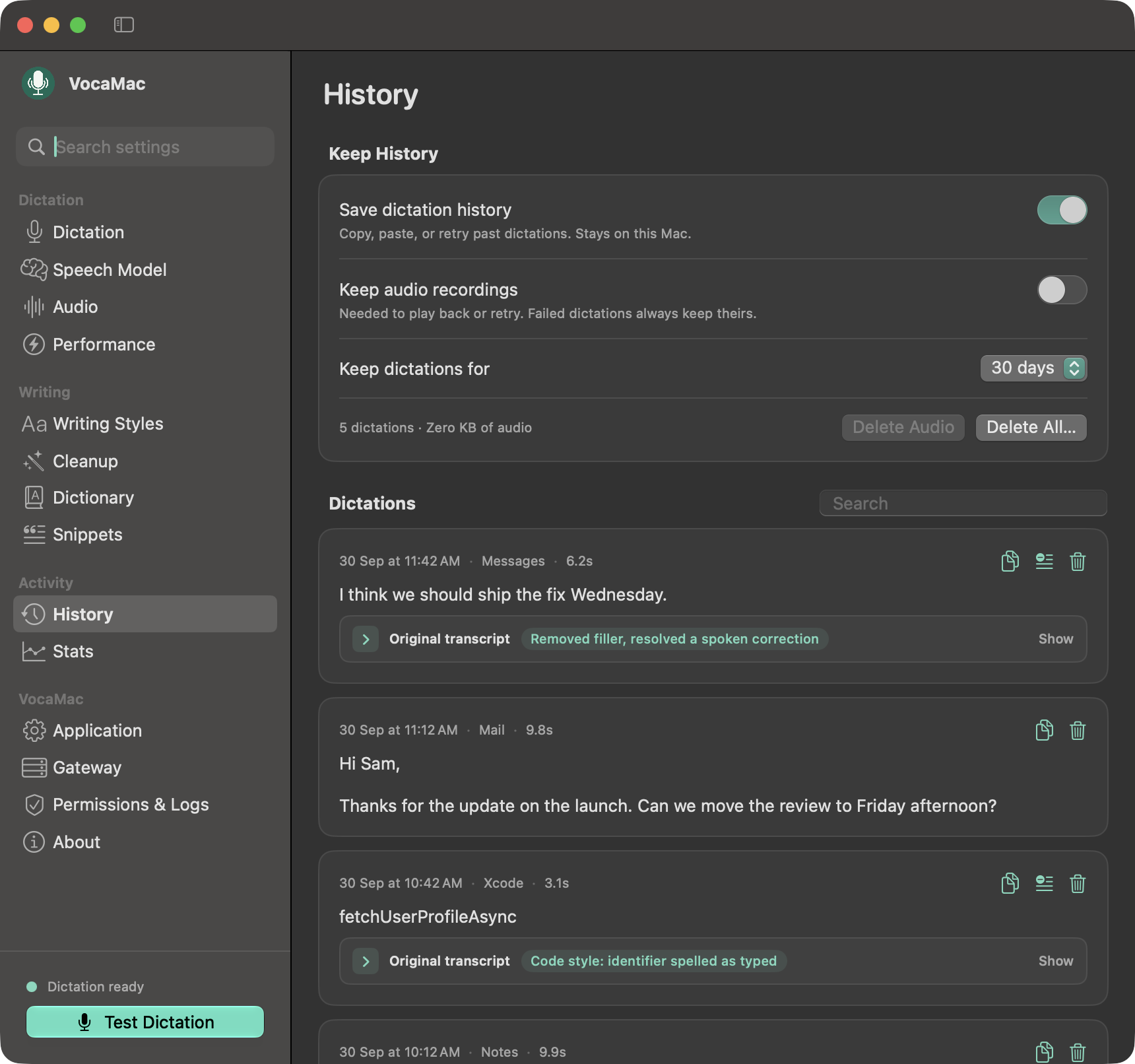
Every dictation is saved to History in Settings. The audio is written to disk before transcription starts, so a crash or a failed decode doesn’t cost you the recording.
Find It, Copy It, Retry It
- Search your past dictations by text.
- Copy any result, or press ⌃⌘V to paste your last dictation again.
- Replay the recording when audio is kept.
- Retry a transcription from its saved audio.
- Original transcript shows what the engine heard next to what VocaMac typed, with a one-line note of what changed.
You Choose How Long It Stays
History stays on your Mac. Keep dictations for anywhere from one day to forever, decide whether to keep the audio recordings, delete everything in one click, or turn History off entirely.
Ready to try Dictation History?
Install VocaMac