Hold a hotkey
Use the configured shortcut or toggle mode. A clear menu-bar state tells you when VocaMac is listening.
Microphone + Input Monitoring permissions keep the control system-wide.
native macOS voice typing
VocaMac listens when you ask, transcribes on your Mac, and puts the words at your cursor. No account. Open source. Built for Apple Silicon.
$ brew tap vocahq/vocamac
$ brew trust vocahq/vocamac
$ brew install --cask vocamac recording
9:41
recording
9:41VocaMac starts listening
inserted at your cursor
Standup notes
VocaMac puts the words where I am already working
how it works
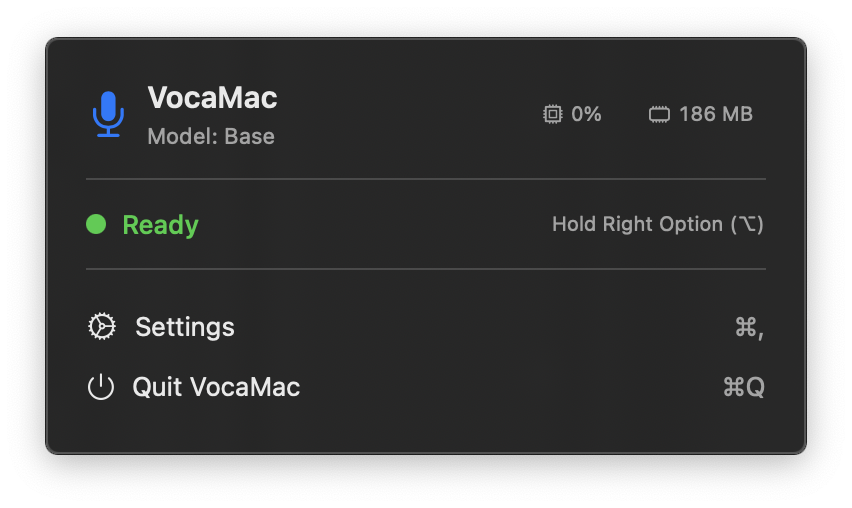
VocaMac lives in the menu bar, so dictation starts where your work already is.
Use the configured shortcut or toggle mode. A clear menu-bar state tells you when VocaMac is listening.
Microphone + Input Monitoring permissions keep the control system-wide.
Audio is captured in memory and passed to the speech-to-text model selected in Settings.
Choose a language hint when automatic detection needs help.
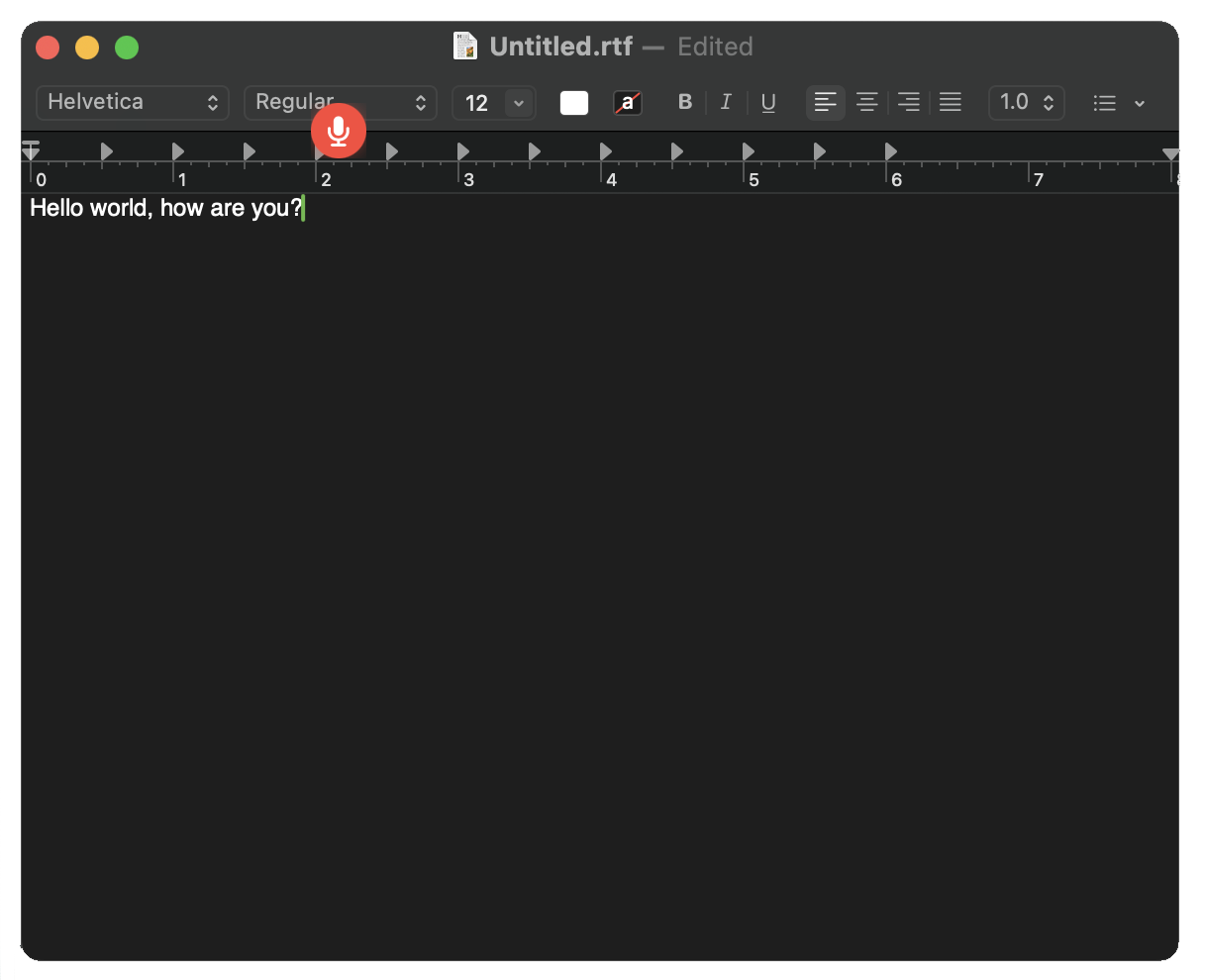
When recording ends, the transcript is inserted at the cursor through macOS accessibility APIs.
Some secure fields and apps can restrict system text insertion.
choose your model
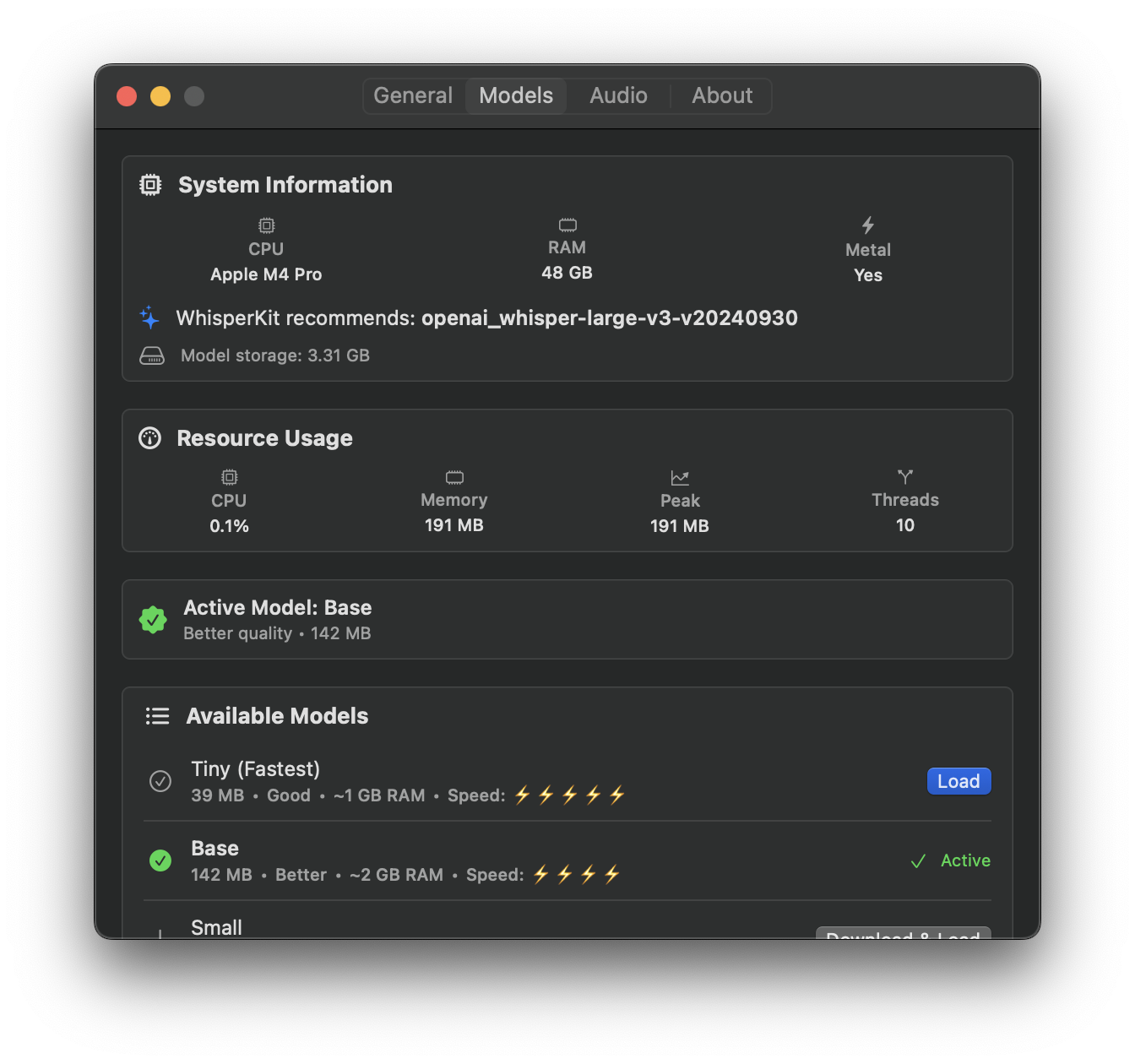
v1.2.0 includes WhisperKit with CoreML acceleration plus Parakeet, Apple Speech, and specialized ONNX models. VocaMac keeps model choice local, visible, and reversible.
Models download from argmaxinc/whisperkit-coreml and are cached locally. After a model is available, transcription can run without sending audio to a cloud service.
v1.2.0 brings the engines and models in the second table into the shipping release. Check the release notes for their language and macOS requirements.
| Model | Download | RAM | Character |
|---|---|---|---|
| Tiny | 77 MB | 0.5 GB | Fastest. Good for short commands and quick notes. |
| Base | 147 MB | 1 GB | A small step up in accuracy for very little extra weight. |
| Small | 487 MB | 1.5 GB | A sensible default on 8 GB Macs. |
| Large v3 Turbo (Compact) | 646 MB | 2 GB | The best accuracy-per-second trade-off for most people. |
| Distil Large v3 (Compact) | 595 MB | 2 GB | Distilled for speed. English-focused. |
| Distil Large v3 Turbo | 607 MB | 2 GB | The fastest of the distilled variants. |
| Large v3 Latest (Compact) | 627 MB | 2 GB | Full large-model accuracy, compressed. |
| Large v3 Latest | 1.6 GB | 3.5 GB | Highest accuracy. The largest download. |
| Voca Hinglish | 824 MB | 1.5 GB | Writes Hindi speech in Roman script (Hinglish). Fine-tuned from Oriserve's Whisper Hindi2Hinglish Apex. |
| Model | Engine | Download | Note |
|---|---|---|---|
| Parakeet Ultra | Parakeet | 632 MB | Parakeet v3 post-trained for accuracy, at the same speed. 25 European languages. |
| Parakeet v3 | Parakeet | 483 MB | Fastest engine. 25 European languages + Japanese, auto-detected. |
| Parakeet Unified | Parakeet | 614 MB | English only. NVIDIA's newest Parakeet: punctuation, capitals, and numbers as digits. |
| Parakeet v2 | Parakeet | 464 MB | Fastest engine. English only, highest recall. |
| Parakeet 110M | Parakeet | 227 MB | English only, smaller download and faster first load. |
| Apple Speech | Apple Speech | Managed by macOS | macOS 26+ system engine (SpeechAnalyzer). Roughly 30 locales. |
| Moonshine v2 Tiny | sherpa-onnx | 44 MB | CPU-only. Very low-RAM Macs, English. |
| Moonshine v2 Base | sherpa-onnx | 142 MB | CPU-only. Low-RAM Macs, English. |
| SenseVoice | sherpa-onnx | 241 MB | CPU-only. Chinese, Japanese, Korean, Cantonese, English. |
| GigaAM v3 | sherpa-onnx | 225 MB | CPU-only. Russian, with punctuation. |
| Canary 180M Flash | sherpa-onnx | 207 MB | CPU-only. English, Spanish, German, French. |
| Qwen3 ASR 0.6B | sherpa-onnx | 1 GB | CPU-only. 30 languages, including Hindi, Arabic, and Thai. |
real product states
VocaMac is a menu-bar tool, not a dashboard pretending to be one. These are the states that matter while you dictate.
a precise privacy promise
VocaMac does not need a Voca cloud service to transcribe. The important boundary is the model running on your Mac.
There is no extra stop. The path above has no Voca speech server in it. Dictation audio is not uploaded for transcription.
During transcription, your audio and the selected model stay on the Mac. VocaMac has no Voca-hosted speech endpoint.
Initial model downloads, release downloads, and the app's update check use their documented sources. Apple may manage language assets for system speech.
The application is open source under AGPL-3.0. Preferences, local model management, and the injection path are visible in the repository.
a focused tool, with real controls
VocaMac keeps its surface compact while giving you control over the parts that change daily use.
Choose push-to-talk or double-tap toggle, then keep a shortcut that fits your hands.
Explore activationPick a local model and let it follow automatic language detection or a language hint.
Explore model choiceChoose the input device and use menu-bar, audio-level, or cursor feedback when you need it.
Explore feedbackAdd names and terms that matter to you. Custom vocabulary is processed with the Whisper path.
Explore vocabularyAvailable now · v1.2.0
The signed release is ready for macOS 14+ and Apple Silicon. A first model download may need an internet connection.
Use the cask when you want upgrades to fit into your normal Mac workflow.
$ brew tap vocahq/vocamac
$ brew trust vocahq/vocamac
$ brew install --cask vocamac
Updates: brew upgrade --cask vocamac
Open the latest DMG, drag VocaMac to Applications, and launch it from Spotlight.
Download v1.2.0 DMGVocaMac-1.2.0-arm64.dmg · 111 MB · Developer ID signed and notarized by Apple
See releases and checksumsFor contributors and people who prefer to build locally. Ad-hoc builds may require permissions again after a rebuild.
$ git clone https://github.com/VocaHQ/vocamac.git
$ cd vocamac
$ make installfor IT teams
Accessibility needs an administrator to unlock, and the person using a managed Mac usually isn't one. An MDM privacy profile grants it ahead of time, so VocaMac arrives ready to use.
open source by default
Read the source, inspect the release, or help shape the next build. VocaMac is part of the wider Voca family of native tools.
 Explore the Voca family
 questions, answered plainly
During transcription, audio is passed to the selected local speech-to-text model on your Mac. VocaMac does not send dictation audio to a Voca cloud service. Model downloads and update checks are separate network actions.
You need internet access to download the app or a model that is not on your Mac yet. After the model is available, on-device transcription can work offline. VocaMac also checks GitHub for application updates on launch when the last check is older than 24 hours; that launch-time check cannot be turned off.
The current release supports macOS 14 Sonoma or later on Apple Silicon. Intel Macs are not supported by the released arm64 build.
Microphone access captures speech. Accessibility and Input Monitoring let the menu-bar app hear its configured shortcut and insert the resulting text into the app where you are working. Secure fields and individual apps can still restrict insertion.
Yes. Accessibility and Input Monitoring can be pre-approved with an MDM privacy profile, so nobody needs an administrator password to get started. The microphone prompt still has to be accepted by the person using the Mac — Apple does not let a profile grant that one. See VocaMac for managed Macs.
Start with Small on an 8 GB Mac, then choose a compact Large or Distil variant when accuracy matters and your Mac has the headroom. Tiny and Base are useful when a smaller download or lower memory use matters more.
v1.2.0 includes Parakeet (NVIDIA TDT models on the Apple Neural Engine), Apple Speech (the macOS 26+ system engine), and sherpa-onnx (CPU-only specialized models: Moonshine, SenseVoice, GigaAM v3, Canary 180M Flash, and Qwen3 ASR 0.6B). See the model table above and the release notes for language and macOS requirements.
ready when you are
Install VocaMac, choose a model, and put the words where your cursor already is.