See How Much You Dictate
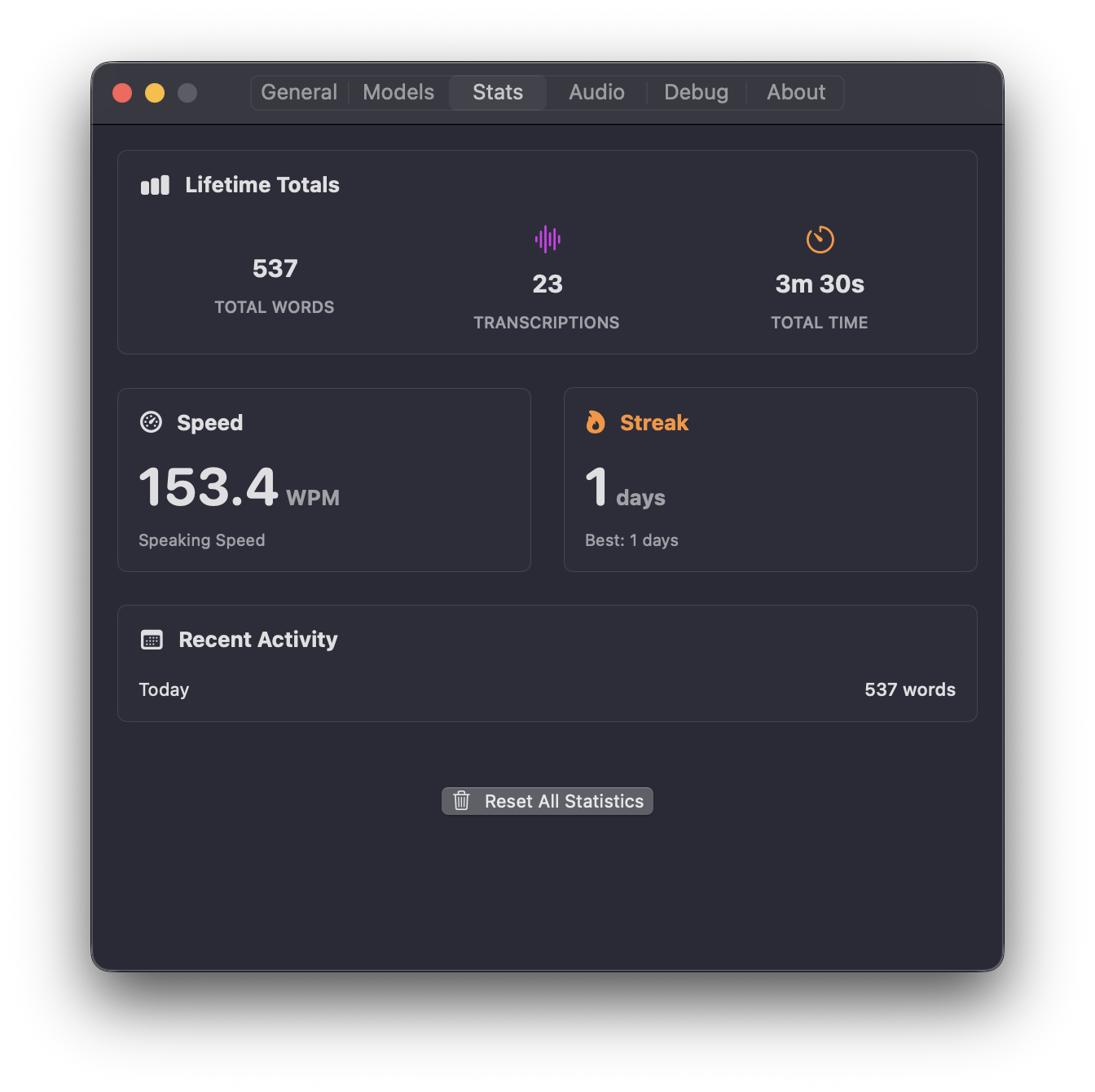
Every transcription adds up. The Stats tab in Settings turns that into a picture of how you actually use your voice: total words transcribed, number of transcriptions, and total time spoken across the lifetime of the app.
Speed, Streaks, and Recent Activity
- Speaking speed — your average words per minute, so you can see how fast you dictate.
- Daily streak — consecutive days you’ve used VocaMac, alongside your best streak so far.
- Recent activity — a day-by-day breakdown of words dictated over the last week.
It’s a light, motivating way to keep a habit going, without turning dictation into a spreadsheet.
Private by Design
Your stats are yours alone. They’re saved locally on your Mac and never uploaded, synced, or shared — nothing about how much you dictate ever leaves your machine. Want a clean slate? A single button in the Stats page resets everything.
Ready to try Usage Statistics?
Install VocaMac