Built for Apple Silicon
VocaMac targets Apple Silicon Macs running macOS 14 Sonoma or later. The app is a native SwiftUI menu-bar client, with WhisperKit and CoreML providing the current release’s speech-processing path.
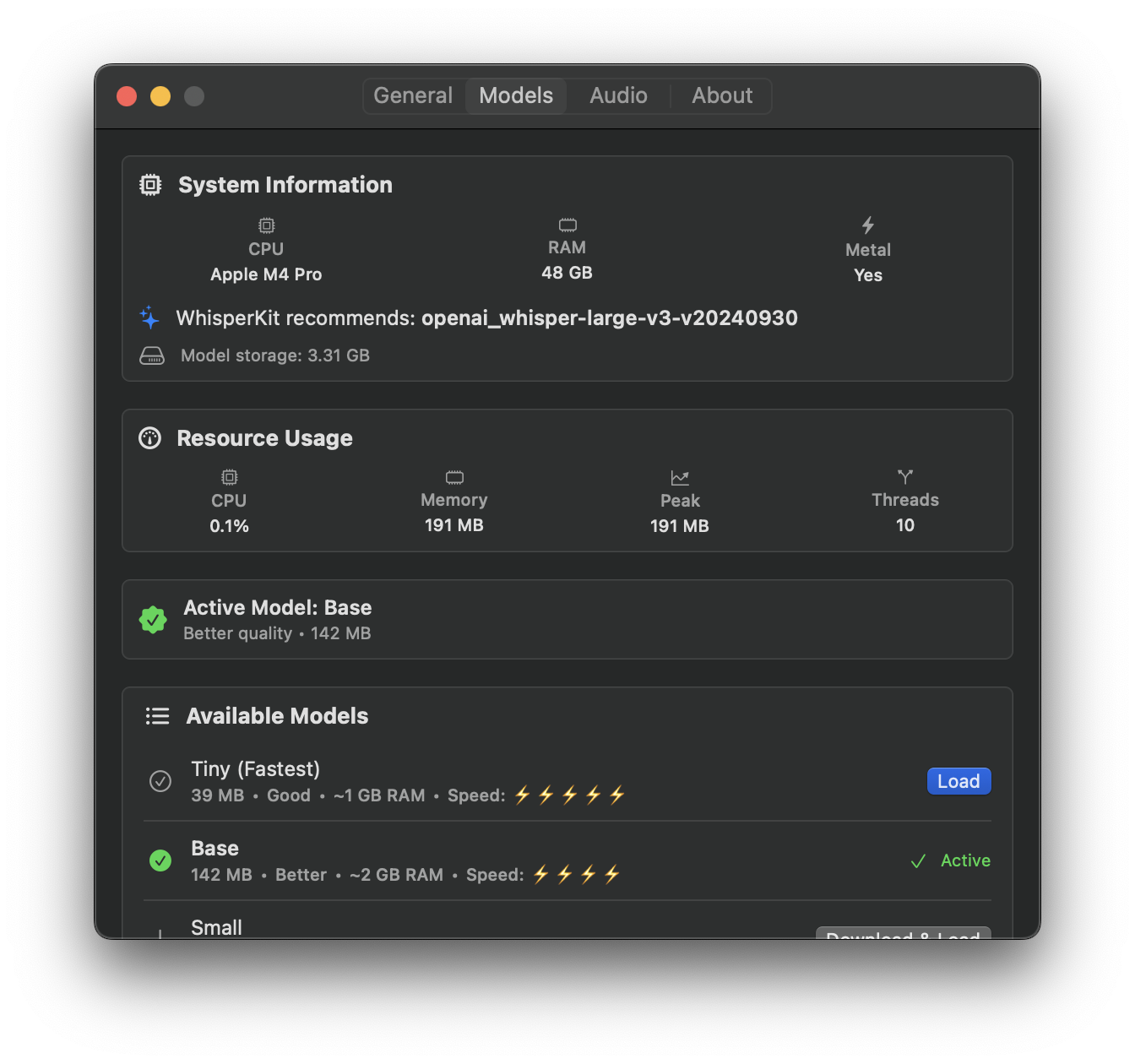
The exact speed and memory profile depends on the selected model, recording length, available memory, and what else your Mac is doing. VocaMac exposes model sizes and resource guidance in Settings so you can choose an appropriate trade-off.
Local Processing Boundary
After the selected model is downloaded, the Whisper processing path runs on your Mac. Dictation audio is not sent to a Voca cloud endpoint. The first model download, release downloads, and update checks are separate network actions.
This boundary makes VocaMac useful when you want local speech processing or need to work with sensitive notes. It does not make transcription instantaneous or set a fixed accuracy or latency across every Mac.
Model Choices
The stable catalog includes Tiny, Base, Small, compact Large v3, Distil Large, and Large v3 variants. Smaller models generally need less disk space and memory; larger models may improve accuracy while taking longer to download and process.
Start with a smaller model if you are checking the workflow or have limited disk space. Move up the catalog when accuracy matters and your Mac has enough headroom. The Settings screen shows the current download state and lets you switch the selected model.
Why It Matters
Apple Silicon gives the native app a consistent local hardware target and lets CoreML use Apple’s on-device execution stack. You keep control over model downloads, microphone permissions, Accessibility access, and the text insertion destination.
For the current release’s version, download links, supported language hints, and permissions, see the installation guide and model catalog.
Ready to try Apple Silicon Native?
Install VocaMac