99+ Languages
Auto-detect or specify. English, Spanish, French, German, Chinese, Japanese, and many more.
Speak in Your Language
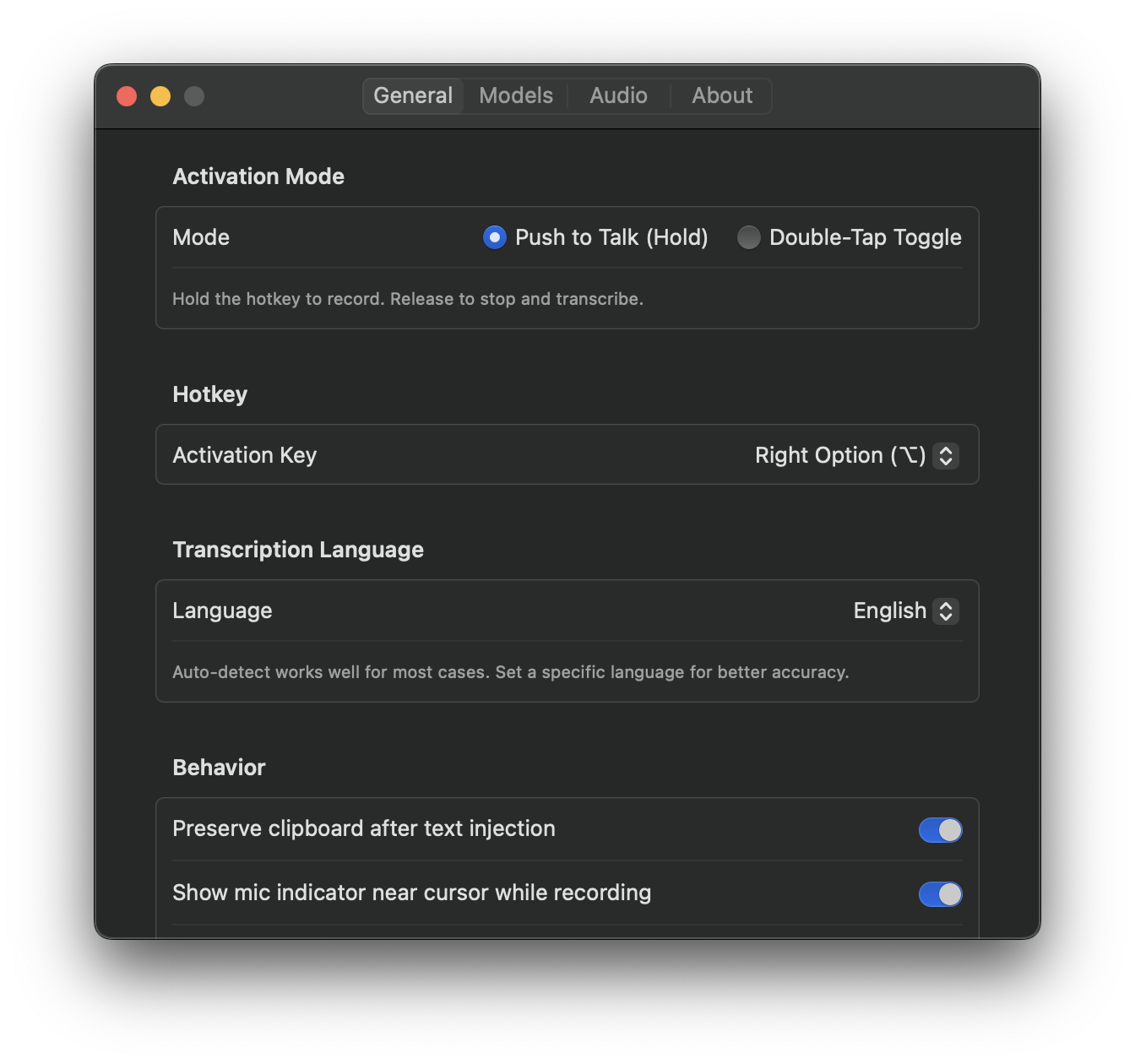
VocaMac supports over 99 languages. Whether you dictate in English, Spanish, Mandarin, Arabic, or any of dozens of other languages, the app understands you. More importantly, it transcribes with high accuracy regardless of which language you’re using.
This capability comes from OpenAI’s Whisper model, one of the most advanced speech recognition systems ever created. Whisper was trained on 680,000 hours of multilingual audio data. It understands not just major languages, but regional dialects, accents, and linguistic variations.
For people who work across languages, this is transformative. No more switching between different apps for different languages. No more cloud services that only support a handful of languages. VocaMac handles all of them with a single, elegant interface.
Auto-Detection or Manual Selection
VocaMac offers two approaches to language handling. You can let the app automatically detect which language you’re speaking, or you can manually specify a language for consistent accuracy.
Auto-detection is powerful for multilingual environments. If you’re bilingual or trilingual, you might mix languages within the same conversation. VocaMac listens, analyzes what you’re saying, and transcribes accurately without any configuration. Speak English one moment, switch to Spanish the next, and the app follows along naturally.
For best results with auto-detection, speak complete phrases or sentences. Single words or very short utterances might occasionally confuse the language detector. But in normal conversation, auto-detection is remarkably accurate.
Manual language selection is ideal when you know you’ll be dictating in a specific language. Open settings, choose your language, and enjoy transcription optimized for that particular language. The app uses this information to improve accuracy and context understanding.
Switching languages is instant. No restarts. No downloads. Just open settings, select a different language, and start speaking.
Supported Languages
The full list of supported languages includes:
English, Spanish, French, German, Italian, Portuguese, Russian, Chinese (Mandarin and Cantonese), Japanese, Korean, Arabic, Hebrew, Turkish, Dutch, Greek, Polish, Romanian, Swedish, Finnish, Danish, Norwegian, Czech, Hungarian, Slovak, Bulgarian, Croatian, Serbian, Slovenian, Lithuanian, Latvian, Estonian, Thai, Vietnamese, Indonesian, Filipino, Afrikaans, and many more.
Major world languages are represented. Regional languages are included. Less commonly spoken languages have support too. Whether you’re dictating in a major commercial language or a less common one, Whisper can handle it.
Accuracy Across Languages
Whisper’s training data ensures consistent accuracy across languages. English, being the most represented language in the training set, achieves the highest accuracy. But Spanish, French, German, Chinese, and Japanese all achieve excellent results.
Smaller languages have slightly lower accuracy, but still remain highly usable. The base Whisper model performs admirably even on less commonly supported languages. Larger models (small, medium, large) improve accuracy further, especially for non-English languages.
Regional accents are handled well. Whether you speak British English, Australian English, or American English, the transcription is accurate. The same applies to Spanish speakers from Spain, Latin America, or elsewhere. Whisper recognizes regional variations without requiring manual configuration.
Model Performance by Language
All Whisper model sizes (base, small, medium, large) support all 99+ languages. The choice of which model to use depends on your accuracy needs and hardware.
The base model, despite its size, handles most languages well. For casual dictation in any language, it’s sufficient.
The small model noticeably improves accuracy, especially for non-English languages. If you frequently dictate in Spanish, French, German, or Asian languages, the small model is a worthwhile upgrade.
The medium model achieves near-human accuracy and is particularly strong with non-English languages. It’s the sweet spot for serious, multilingual work.
The large model is the most accurate but requires more processing time. For languages where perfection matters (legal documents, medical transcription, academic writing), it’s worth the extra seconds of processing.
Real-World Multilingual Workflow
Imagine you’re a translator working on Spanish documents. You open VocaMac, set the language to Spanish, and begin dictating. The app transcribes with accuracy that rivals human typists.
An hour later, you switch projects. Now you’re reviewing French content. Change the language setting to French, and you’re ready to dictate again. The transition takes seconds.
Or picture yourself working internationally. Your team uses English, but you’re collaborating with colleagues who prefer working in their native languages. Enable auto-detection and speak naturally. VocaMac adapts to whoever is dictating.
These scenarios that would be cumbersome with traditional dictation tools feel natural with VocaMac. You don’t think about language switching. You just speak, and the app keeps up.
Privacy in Any Language
Regardless of which language you choose, your voice never leaves your Mac. VocaMac processes everything locally. Whether you’re dictating in English, Mandarin, Arabic, or any other language, complete privacy is guaranteed.
This is a critical distinction from cloud-based services. Those systems must send your voice to remote servers to perform transcription, even if those servers are in other countries. With VocaMac, your voice stays on your device, transcribed by software running in your own Mac.
VocaMac brings professional-quality, multilingual dictation to your Mac while respecting your privacy and your choice of language. Speak your language. VocaMac listens.
Ready to try 99+ Languages?
Install VocaMac - It's Free