GitHub Release Updates
VocaMac checks GitHub Releases, downloads the latest signed DMG, and guides you through drag-to-replace updates.
Built-In Update Checks
VocaMac can now check for new releases directly from GitHub. It compares your current app version to the latest stable release, then shows an in-app update banner when a newer version is available.
The check is lightweight and rate-limit friendly:
- automatic check on launch (at most once every 24 hours)
- manual Check for Updates… button in Settings -> About
- no extra account, login, or update service required
Update Flow
When an update is found, VocaMac shows a clear, non-intrusive banner in the menu bar popover. From there, you can open update details, review release notes, and start the download.
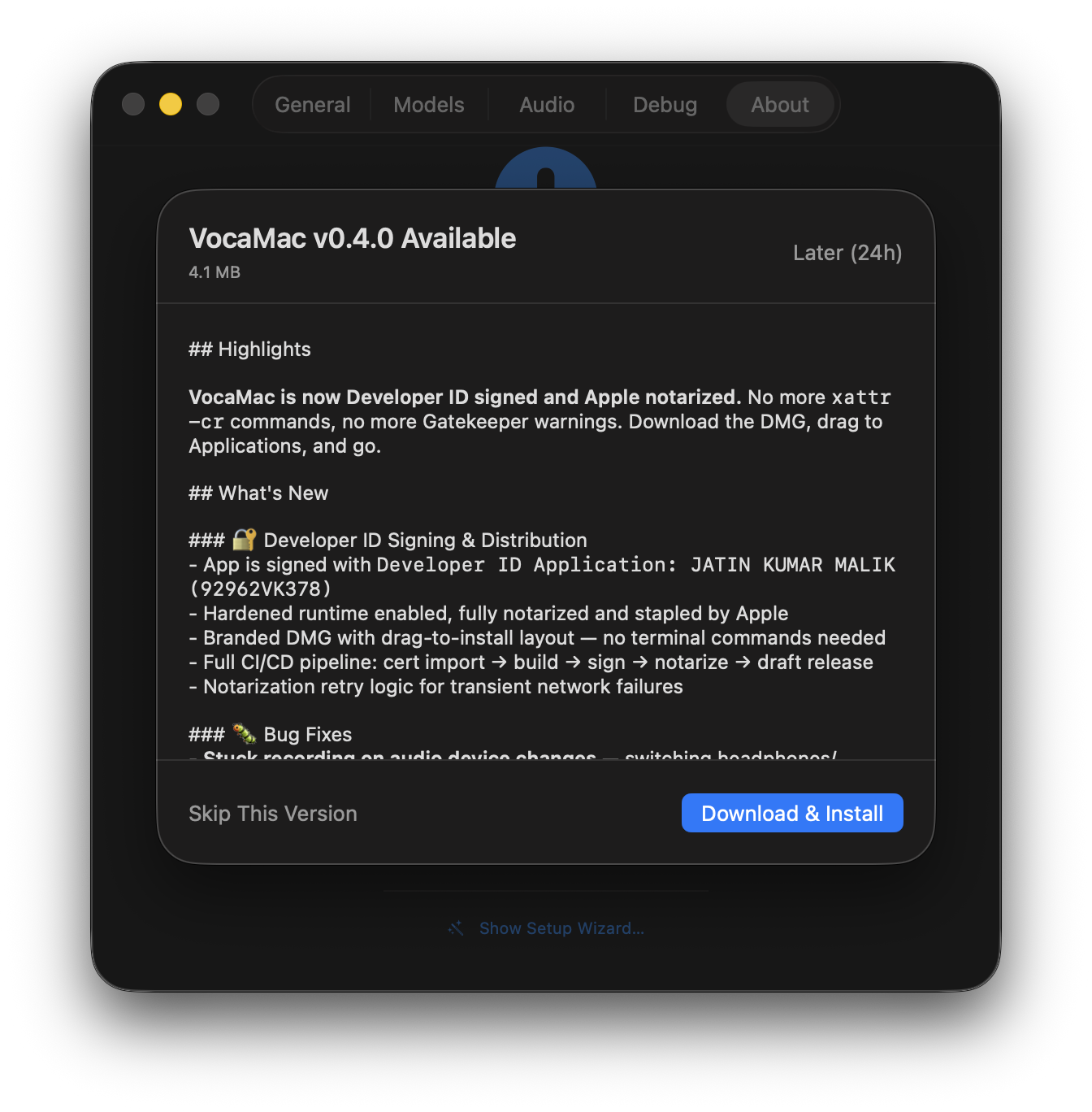
The app then:
- downloads the latest
arm64DMG from the GitHub Release asset - shows real-time download progress
- verifies the file integrity using the SHA-256 digest from GitHub’s release API
- opens the DMG so you can drag VocaMac to Applications
This keeps the install process familiar and transparent while still making updates much faster.
Security and Trust
VocaMac only checks https://api.github.com/repos/jatinkrmalik/vocamac/releases/latest and downloads release assets served from GitHub over HTTPS.
Each downloaded DMG is validated against the release digest before the app offers to open it. Releases remain Developer ID signed and notarized, matching the existing distribution process.
Permissions Across Updates
Since VocaMac is now signed with a stable Developer ID identity, permissions are expected to carry over across updates. In most cases, you can update and continue dictating without re-granting access.
If permissions ever look stale, the Debug tab still includes a one-click permission reset helper.
Ready to try GitHub Release Updates?
Install VocaMac - It's Free